MAADSBML Real-Time Dashboard
You can see all of the output from the MAADSBML engine in a real-time dashboard. As shown below.
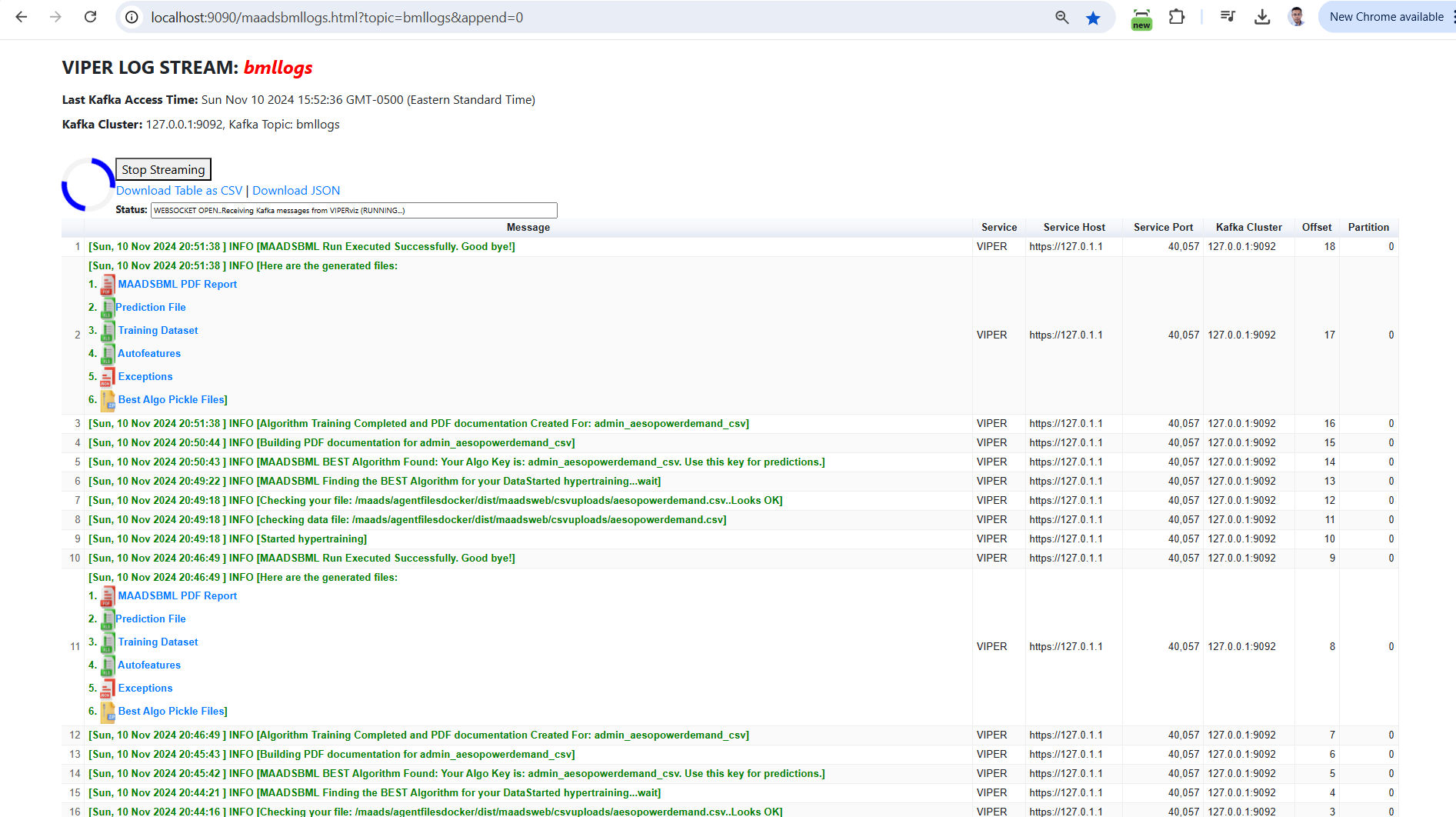
Tip
You can also download the entire dashboard table to a JSON or CSV.
Note: This dashboard is re-generated every time you start your MAADSBML container. However, all generated reports are backed up to your local backup folder - as explained here: MAADSBML Folder Explanation.
Dashboard URL
To access the Dashboard simply enter this URL in your browser:
URL: http://localhost:9090/maadsbmllogs.html?topic=bmllogs&append=0
Note
This URL accesses the Kafka topic called: bmllogs. This the topic you set in the Docker Run command field: VIPERLOGNAME (MAADSBML Docker Run Parameters Explained).
The port 9090 is set using the value in the field: VIPERVIZPORT
maadsbmllogs.html is the dashboard HTML running in your MAADSBML container.
append=0 loads new data into the browser - without appending to the old data.
Tip
As you iterate in your Machine Learning Modeling - MAADSBML stores all the reports in your your backup folder.
Therefore, it is important to you map a local folder to the container backup folder (MAADSBML Folder Explanation).